TensorBoard in your terminal
Watch training curves from an SSH session.
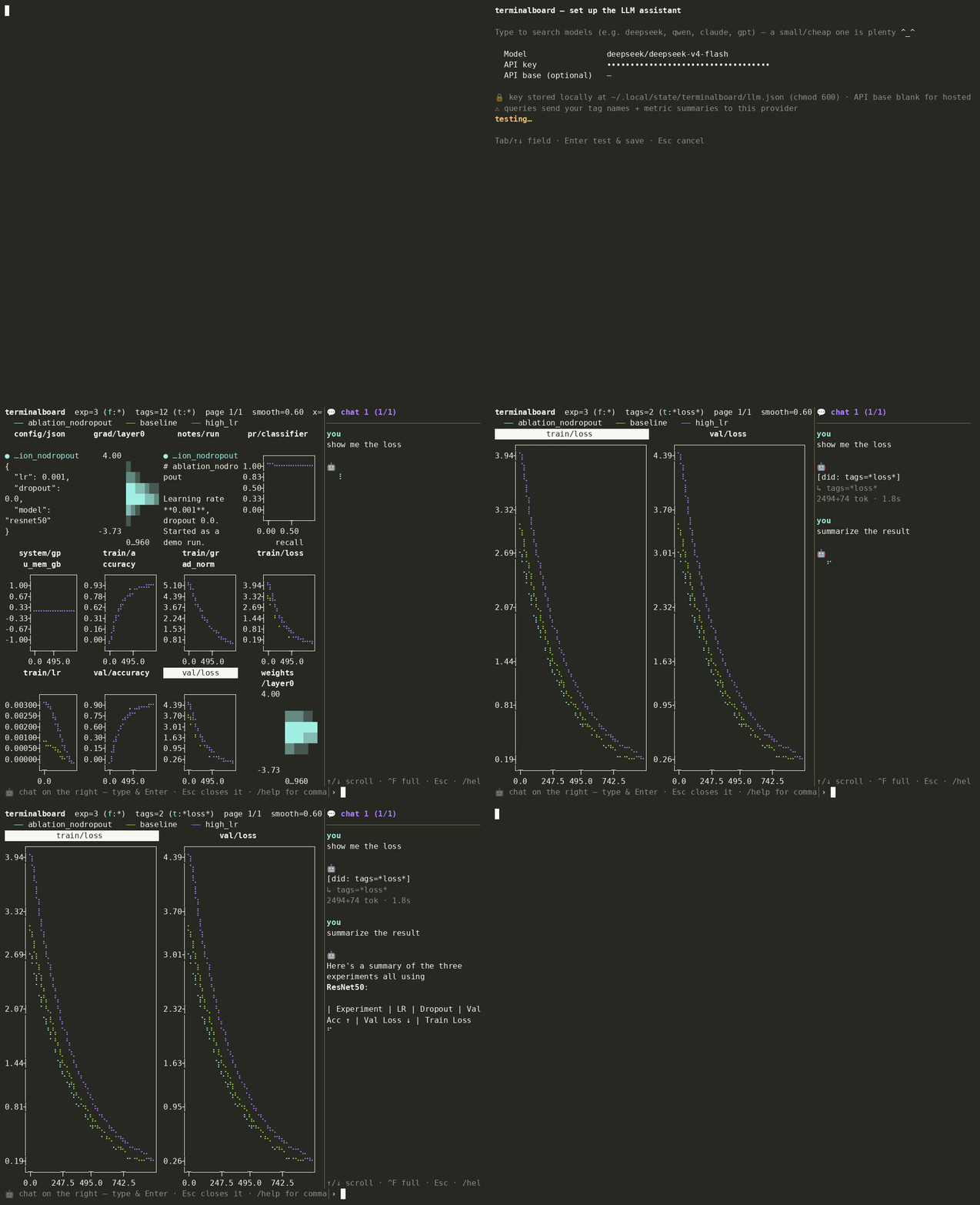
pip install terminalboard, point it at a logdir, and your live TensorBoard curves render as Unicode/braille text. No browser, no X11, no port forwarding.
Design brief
Checking a curve should feel like tail -f.
terminalboard is a terminal-native TensorBoard viewer with a small AI assistant.
Install
pip install terminalboard
One less browser tab on remote machines.
Assistant
Press a and chat with your runs.
The assistant sees the live view and the log data, then answers and drives the dashboard in the same turn. Ask for validation losses with smoothing, and the filter is applied. Ask which run is overfitting, and it compares train and validation curves.
The assistant stays off until configured. When enabled, requests send tag names and metric summaries to the provider you choose, and tag names can reveal architecture details. If that matters, point it at a local Ollama model.
Source is on GitHub, and the package is available on PyPI.