 Pinaday
 Local-first daily notes for macOS
One note for every day.
Capture plans, tasks, images, and the moments worth remembering in a simple daily note that is always close by.
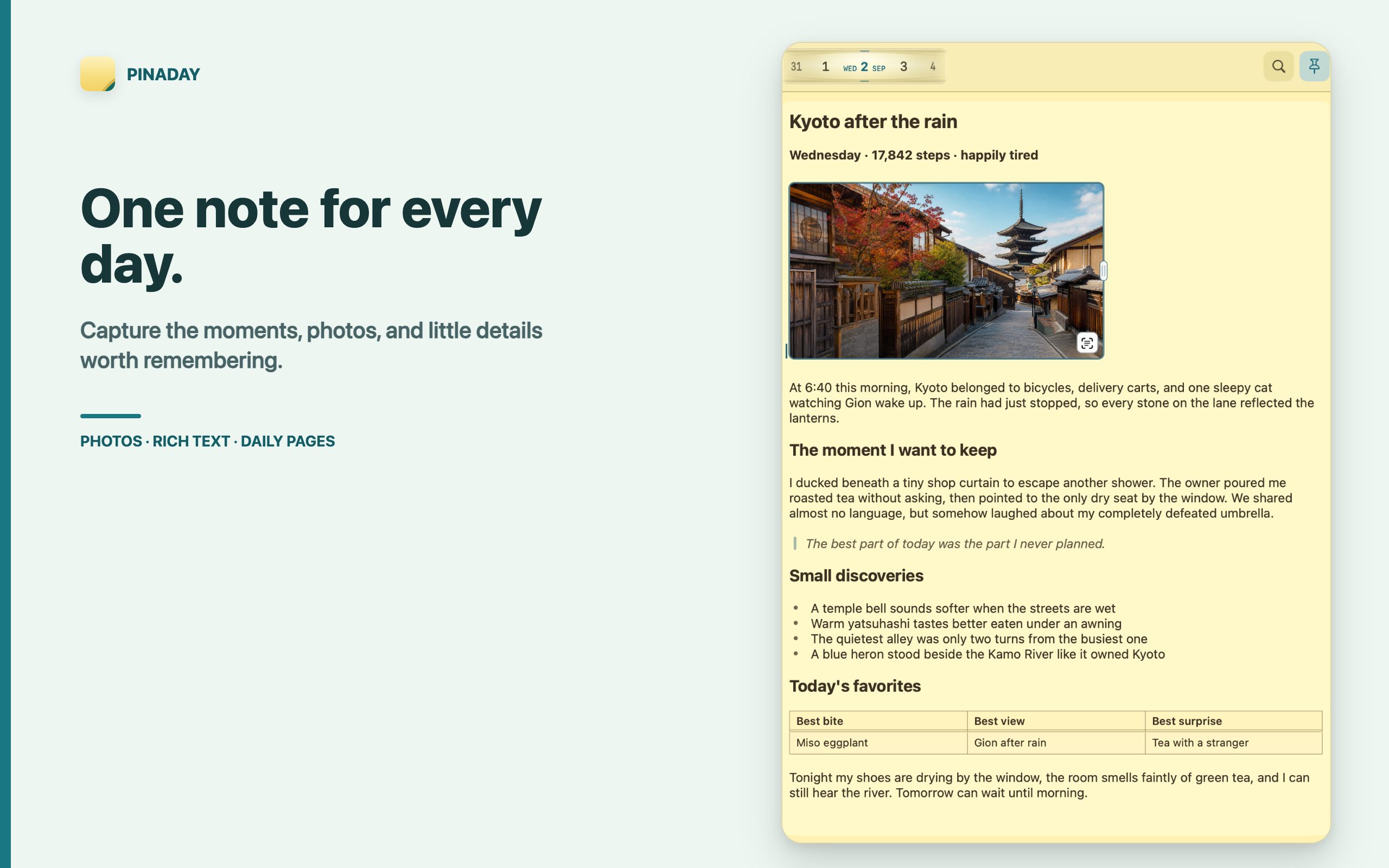

Plans, tasks, images
Plan the moments that matter.
Pinaday keeps daily planning close to the surface. A day can hold a checklist, a small schedule, a shopping list, pasted images, or a few lines you do not want to lose.
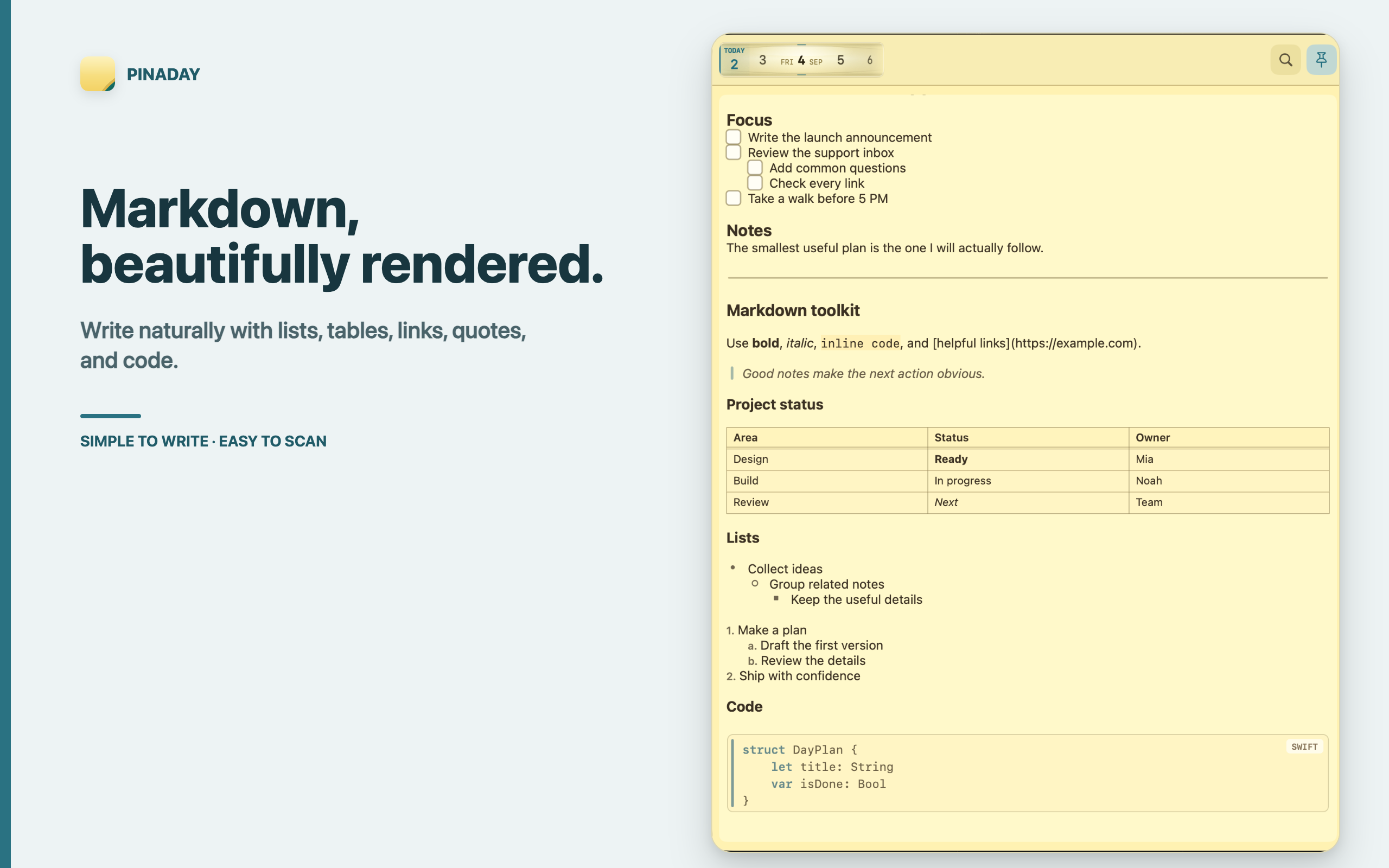
Structured Markdown
Markdown, beautifully rendered.
Write naturally with headings, lists, nested tasks, tables, quotes, links, and code blocks. Tasks stay inside the note instead of becoming a separate system to maintain.
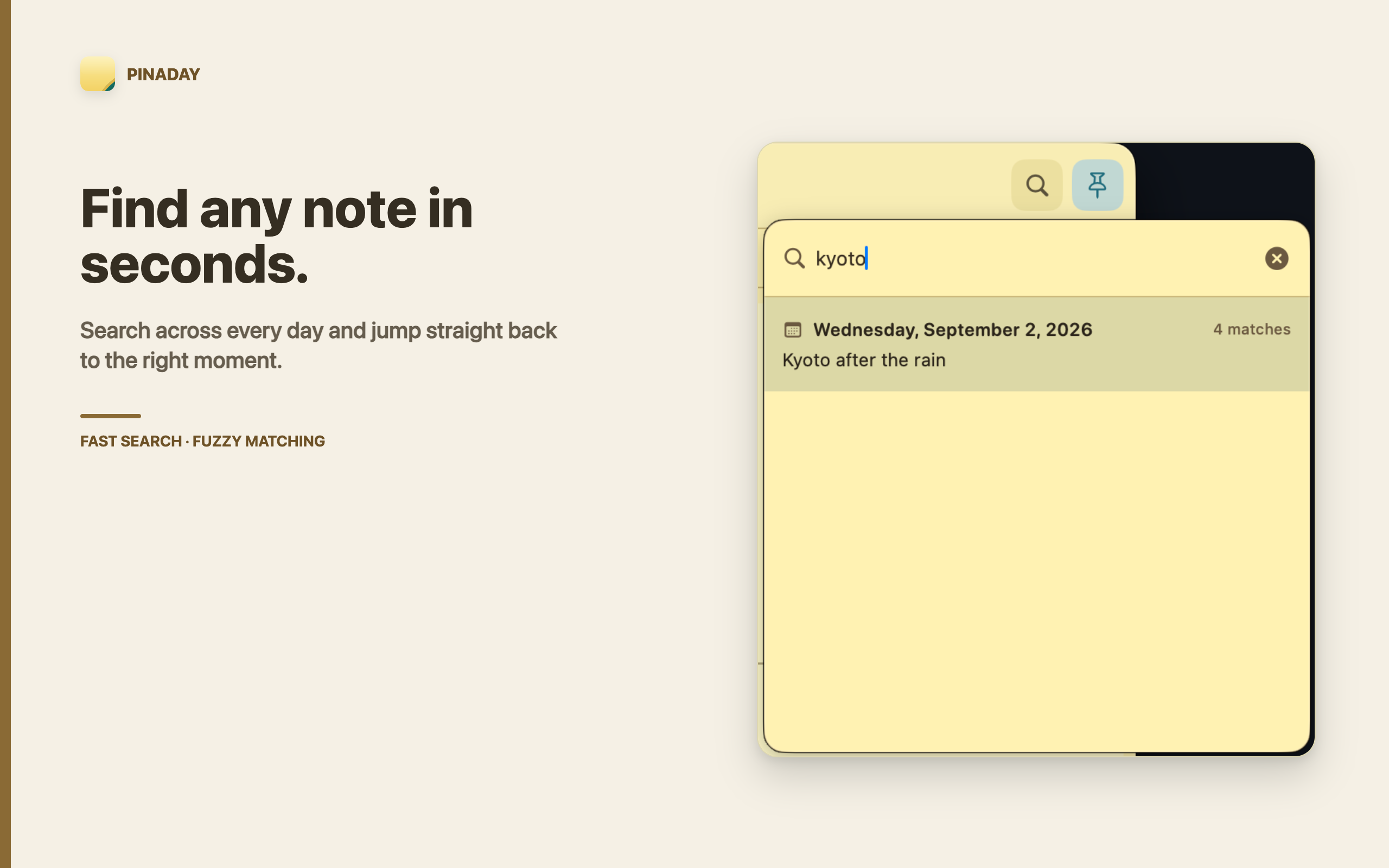
Search and return
Find any note in seconds.
Search across dates, note text, and recognized text from pasted images, then jump back to the right day without breaking the daily rhythm.
Built for the small notes that make a day legible.
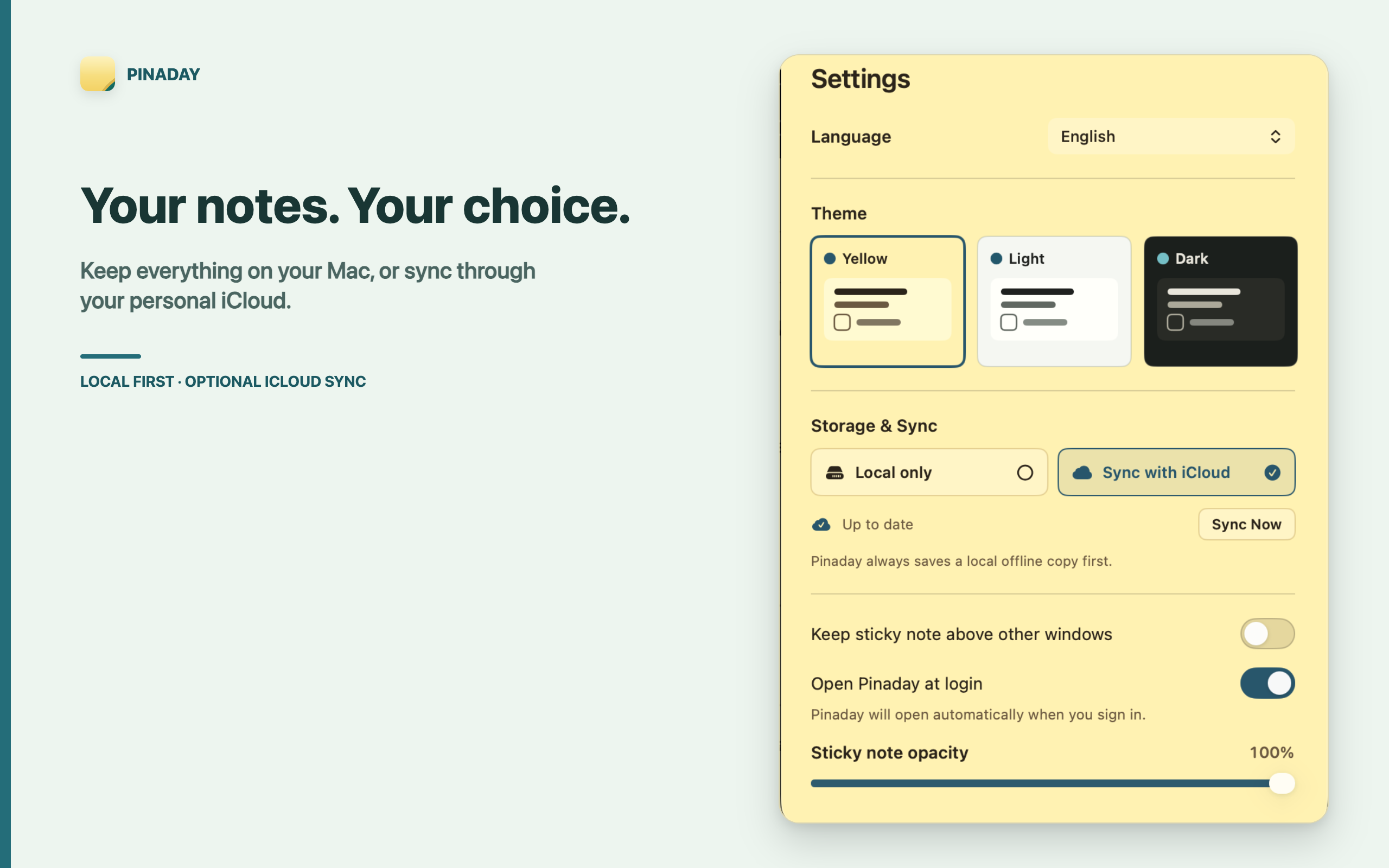
Local first, sync when you choose
Your notes. Your choice.
Pinaday stores notes and pasted images locally on your Mac by default. Optional iCloud sync can keep notes, task states, and pasted images available across Macs using the same Apple Account.
System requirements
Pinaday is designed specifically for macOS and supports macOS 13 or later.
Availability
Pinaday will be distributed through the Mac App Store. The public listing URL is not final yet.
Mac App Store link coming soonSupport
Questions, bug reports, and feature ideas are welcome at xuluthebest@gmail.com.